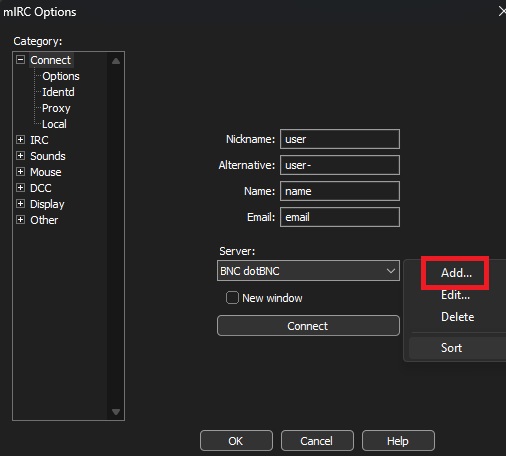
Open mIRC and navigate to "Options" and then select "Connect" (alt. Alt+O).
1. Add server
Now we will add the server.
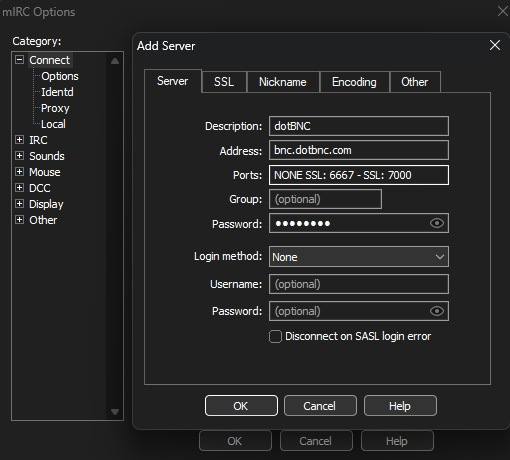
Click "Add" and this box should appear. What IP and port to connect to are appears in the e-mail. Fill in the fields exactly as shown based on your details. Then change to your own password. Then click "Add". Password should insert like this: ident/ircnetwork:password e.g user/DALnet:mypasswordhere
Click "OK".
2. Connect
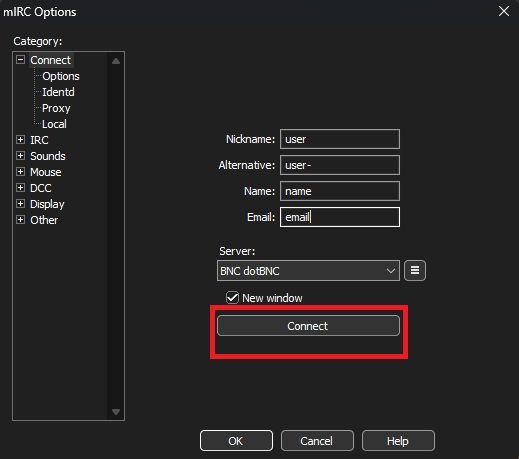
Now you have set up your mIRC exactly right, provided that you followed the instructions from the first letter to the last full stop. To complete the configuration, click "Connect". Now you connect to your BNC.